
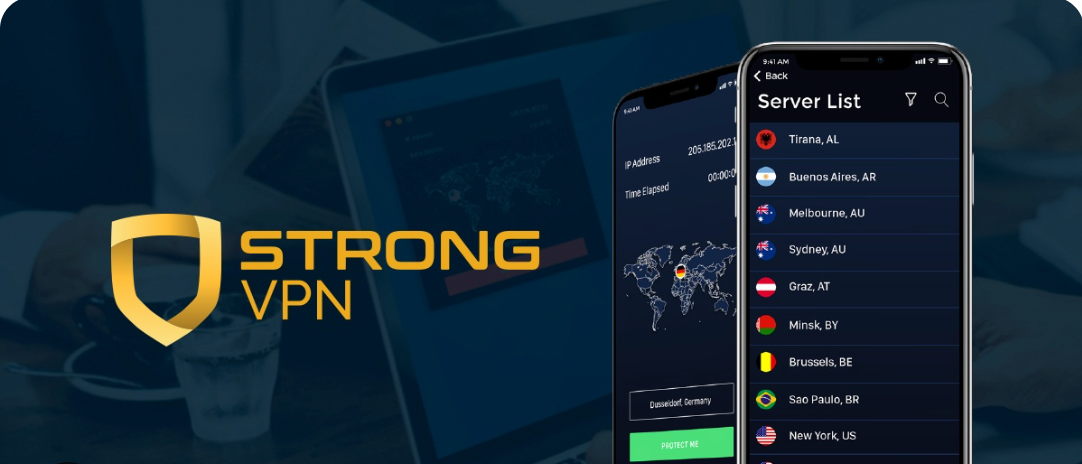
Strong VPN is a shield wielding service with all the promises of the shield welders. Get behind the shield; and stay protected. It’s a promise of online security and privacy (to secure your personal information from getting to the hands of hackers, cyber criminals other malicious organization and individuals; and to ensure that you are anonymous online and cannot be tracked by monitoring elements). There are many other VPN like StrongVPN that offer similar and also your desired security and privacy features. These similar VPNs are known as the best StrongVPN alternatives and competitors available. In this article, we shall explore all the StrongVPN competitors and alternatives to help you choose the most suitable option.
StrongVPN is a VPN that in recent times have upgraded the service turning it from a joker to a real player in the VPN industry. This upgrade have brought about a modern-looking and simple user interface, and have led to a ditching of insecure VPN protocols.
The service now offers a range of secure VPN protocols, uses highest level encryption, features a kill switch, protect against IP and WebRTC leaks, allows anonymous payments, and has an obfuscating feature that makes it pass through networks unimpeded. The only thing that puts a dent on the service’s privacy package is their U.S. location; but even that is covered by the service zero log policy, because there’ll be nothing to disclose (or be found) when the authorities come knocking (or go searching).
Away from privacy and security; Strong VPN allows 5 simultaneous connections, fully supports torrenting on almost all their servers, and unblocks popular streaming services.
So well so good; but there are still some things that Strong VPN can put together. Server location is still very low. Also, speed have improved considerably, but still ranks as “average”.
A brief history: The company has extensive experience in the IT world. It started by selling PC computers, then began offering dial-up internet services, and soon after began providing dedicated servers and colocation services. In 2005 Strong VPN as we know it today was born; making it one of the old timers in the market.
Has the company leveraged on its extensive experience and its relative longetivity in the VPN business to provide optimal VPN services? This review will aim to answer that question by thoroughly examining everything about the Strong VPN service, from its pricing to its features, privacy and security provisions, server network, customer support etc. StrongVPN is one of the top VPN services, but if you are not satisfied with privacy and security features, you may try out other alternatives that strongly compete with StrongVPN. Below are other VPN like StrongVPN:
VPN LIke StrongVPN + Alternatives:
- NordVPN
- Surfshark
- ExpressVPN
- Proton VPN
- CyberGhost VPN
- PureVPN
- Private Internet Access
- IPVanish
- TorGuard
- Hotspot Shield
Plans and Price
Packages:
StrongVPN has only one service plan, which can either be billed every month or every year. Whatever package you subscribe to, you will get access to all the features of the Strong VPN service; the only difference in the two packages is how long you get to access the service.
Pricing:
The monthly package is priced at $10.00, while the one year package is priced at $69.99. The one year deal breaks down to a monthly fee of $5.83 which represents a 42% cost savings. This simple pricing follows the model of the VPN industry where the longer term deals are heavily discounted and give more value for money.
Brief Competitors Price Comparison
| VPN service | Month-to-month price | Lowest advertised price | Initial payment | Brief comparison |
|---|---|---|---|---|
| NordVPN | $14.99/month | $3.49/month for 27 months | $94.23 | Strong all-round option for speed – streaming and security; supports 10 simultaneous devices. (NordVPN) |
| Surfshark | $16.45/month | $2.49/month for 27 months | $67.23 | Excellent value for families, since a single subscription covers unlimited devices. (Surfshark) |
| ExpressVPN | $12.99/month | $3.49/month for 28 months | $97.72 | User-friendly premium VPN with easy-to-use apps and up to 10 connections on its Basic plan. (ExpressVPN) |
| Proton VPN | $9.99/month | $2.99/month for 24 months | $71.76 | Privacy focused VPN with open-source applications & a limited free plan with unlimited data. (Proton VPN) |
| CyberGhost VPN | $12.99/month | $2.19/month for 26 months | $56.94 | Affordable long-term option with streaming focused servers & a 45-day guarantee on longer plans. (CyberGhost VPN) |
| PureVPN | $12.95/month | $2.15/month for 27 months | $58.05 | Low-cost long-term plan that includes the main VPN service & tracker or advertisement blocking. (PureVPN) |
| Private Internet Access | $11.95/month | $2.03/month for 39 months | $79.00 | Suitable for experienced users who want advanced settings – port forwarding & unlimited device connections. (Private Internet Access) |
| IPVanish | $12.99/month | $2.19/month for 24 months | $52.56 | Good household option with unlimited simultaneous connections & easy-to-use applications. (Security.org) |
| TorGuard | $9.99/month | About $2.50/month on the $29.99 annual offer | $29.99 | Better suited to advanced users who need features such as port forwarding – static IP pools and detailed settings. (TorGuard) |
| Hotspot Shield | $12.99/month | About $2.42/month with the $29 introductory annual plan | $29.00 | Offers a limited free version & fast – simple applications – but the annual plan renews at $95.99. (Hotspot Shield) |
Verdict:
Surfshark VPN offers you the best balance of low pricing as well as unlimited devices. NordVPN is known as a strong overall choice for performance as well as security, while Proton VPN is attractive for privacy-conscious users and also for anyone that needs a free plan. CyberGhost, PureVPN, PIA and IPVanish provide you with some of the lowest long-term introductory prices. Which ever one you choose will be great for your online security. You may visit each of them to know more before subscribing.
These prices mean that Strong VPN does not come cheap; its single month fee sits among the most expensive monthly plans in the market, while its best deal is more than double the best deals of some highly rated services.
Payment Methods:
Strong VPN allows the use of major cards (both credit and debit cards) and PayPal. They also allow bitcoin payments which are pseudo anonymous. The permitting of anonymous payment shows that Strong VPN is committed to ensuring the privacy of users.
Money Back Guarantee:
VPN providers, like every business entity, exist to make profits, but they like to show that customer satisfaction is the overriding objective; they do this by offering a money back guarantee that allows unsatisfied customers to get a refund of their payment.
Strong VPN has a money back guarantee. This is one area where this service has shown remarkable improvement; the refund window used to be 5 days, but is now 30 days which is on par with what the top services in the market offer. As suggested by the 30 days window, the request to be refunded must be made within 30 days of making payment. To request a refund, you have to first cancel your subscription by reaching out to support via support@strongvpn.com.
Individuals who had participated in a free trial promotion or had received a trial account prior to being charged for a subscription are not eligible for a refund payment. Also, persons who paid anonymously using bitcoin will not be refunded.
True, Strong VPN has done well by extending the refund window to 30 days; but the refund process is not as convenient as that of other services. Unlike other services where you can easily cancel your subscription, StrongVPN will make you reach out to customer support to have your subscription cancelled.
Free Trial:
Some VPN services offer free trials to enable users get a feel of the service before making a financial commitment. I am an advocate of free trials; but not because I like freebies. It tells me that the service is a quality service. Since the ultimate goal of the service provider is that the user move to the paid plan, the service provider must be confident that the user will see enough quality in the service to be convinced to make the commitment.
Strong VPN does not offer free trials. Okay. I wouldn’t have given it another thought, but then I saw this: “StrongVPN does not provide any free trial accounts since they are usually abused”. That sounded to me like a cheap excuse. You don’t give free trials. Period. Don’t patronize anybody.
FEATURES
Ease of Use
Not quite long ago, the Strong VPN interface was described as “something from the 19th century sitting on 21st century equipments”. It was that bad. The bad reviews must have gotten to the company’s execs, and they responded by revamping the service; among the numerous improvement is a black, sleek, simple, and easy to use interface.
The interface features a beautiful world map. This is not uncommon. What is uncommon is that in some of the other services with the map feature, you can click on the map to select a server location; but StrongVPN’s map seems to serve only aesthetic purposes. Above the world map, the simplistic interface shows your IP Address, and your connection duration. Note that when not connected, the IP address shown will be your real IP address; but when you are connected, it will be the VPN assigned IP address. Below the map, you can see the server location, and a connect/ disconnect button. The connect button is green when not connected; but becomes a red “disconnect” button after you are connected.
When you have not chosen any server, the server location is “best available location”. This option allows you to get connected with only one click. Hit the connect button, and you’ll be automatically connected to the fastest server closest to you. However, if you desire to select a specific server; click on the “best available location” button to open a list of possible server locations, select the desired location, and click “save” on the bottom of the server window. It takes you back to the main menu for you to click connect. I don’t like that you are not automatically connected to a server location by simply selecting it. Clicking save and going back to click connect are two steps that can be done away with. Also, the servers lacks basic information that can help a user in making a selection: there is no indication of which server(s) is optimized for P2P activity, no ping times that can help a user select a fast server, and no info on server load that would help a user steer away from overcrowded servers.
The interface also features a settings wheel icon. On Windows PCs, the settings page holds a few tabs. The ‘options’ tab allows you to: enable the app to start on system launch, enable the app to auto reconnect when the VPN service connection drops, and enable the kill switch to cut off internet connection in the event of VPN connection drop. Another important tab is ‘protocols’ which allows you to change VPN protocol. On the Android app, the settings page have less features; its one page allow few tweaks such as toggling on/ off auto reconnect and scramble (the obfuscation feature).
Supported Devices
Strong VPN has custom apps for all the major operating systems – specifically Windows, Mac, Android, and iOS. These apps can easily be found (and downloaded) on the website. Strong VPN supports other platforms, and provide manual setup guides for them. These includes Linux, Routers (Tomato routers and DD- WRT routers), Synology NAS, Kodi, Amazon Kindle, and Chromium OS / Google Chrome OS.
Since Strong VPN is compatible with routers, one can increase the number of simultaneous connections that the service offers by connecting a couple of devices to the router and counting the router as one connection point with the VPN service.
Simultaneous connections
Strong VPN allows five simultaneous on one account. This means that if you have multiple devices that you wish to secure without paying extra on another account, then Strong VPN is worth looking at. Until recently Strong VPN allowed only two simultaneous connections, and they received a lot of flak for this. It was nice to see them improve their offering to five, which is also the industry average for simultaneous connections.
Obfuscation
Strong VPN has a special obfuscation feature called “Scramble”. It can be toggled on in the settings. The feature makes Strong VPN a good VPN for bypassing firewalls because it makes the VPN traffic appear more like regular traffic making it more likely for the VPN to pass through the network unimpeded.
This is one reason why Strong VPN is a popular choice in China where the Great China firewall easily identify and block VPN traffic. It is also why the service effectively give access to streaming services (to be discussed later). However the scramble feature can only be enabled with the OpenVPN protocol.
Streaming
Many people go for VPN services for entertainment purposes. Netflix for example have different contents for different countries. If you happen to live in country A, you cannot watch contents shown exclusively in country B. This is where a VPN comes in; to place you in country B, and give you access to the desired contents. Netflix hates that VPNs are helping people defeat its geo-restrictions, and have been clamping down on VPN services. As a result many services have been effectively blocked by Netflix and can no longer give access to Netflix vast library.
Strong VPN stands proud (at the moment at least) as one of the few services that can still give access to Netflix. In addition to Netflix, Strong VPN was able to unblock Hulu as well as the UK’s BBC iPlayer.
However, it should be noted that not all servers can give you access to the streaming services. Getting a “working” server is usually after a game of trial and error; but the process can be expedited by reaching out to customer support. That said; it is safe to say that Strong VPN is ideal for streaming.
Server Location
Strong VPN calls their server network “a global network” that spans 650+ VPN servers in over 20 countries. The number of servers does not compare to the thousand of servers operated by a few services; but it put Strong VPN well above many other highly rated services with just a few hundred servers.
Granted, there are lots of good locations in the network; but the number of countries covered is on the low side. Many services with half the server count of Strong VPN cover more than 30 countries. With 20 countries covered, the service would adequately help one in spoofing location; but one could come up short in accessing specific locations and unblocking certain geo-restricted content.
Now, to the part about the network being “global”, I beg to differ. North America and Europe are well represented; Asia is represented by Hong Kong, South Korea, Singapore and Japan; Oceania is represented by Australia; the whole South America continent is represented by only Brazil; but the whole of Africa and the Middle East are missing altogether. Many VPN services are beginning to move server operations to Africa; and I’ll like to see Strong VPN follow suit.
Privacy and Security Features
Protocol and Encryption
Strong VPN supports a range of VPN protocols which includes L2TP, SSTP, OpenVPN (UDP and TCP), IPSec, and IKEv2.
The VPN service used to support the PPTP protocol and even had it as their default protocol; but because the PPTP has been found to be very insecure, Strong VPN no longer supports it. This is another improvement to the Strong VPN service that shows a commitment to users’ privacy. While users have a range of VPN protocols to choose from; Strong VPN recommends using either the OpenVPN or IKEv2 protocol because these two are the most secure of the bunch.
As for encryption; the OpenVPN uses AES-256-CBC channel encryption, 2048-bit Diffie Hellman RSA key, SHA 256 authentication, and Perfect forward secrecy. IKEv2 encryption also uses AES-256 channel encryption, SHA 512 authentication, and Perfect forward secrecy, but step up the handshake encryption to 8192-bit Diffie Hellman MODP key. These are highest level encryption and would adequately guarantee the security of users.
Kill Switch
The kill switch is a fail-safe feature that helps a VPN protect you 100% of times. A VPN gives you online security and privacy by masking your real location and encrypting your data; but it can only do this when it is up and running. However, a VPN does not have 100% uptime; this means that at those times when the service disconnects, your traffic and real location wil be in the open. The kill switch comes in and “kilsl” your internet connection at the instant the VPN looses its connection. This ensures that you do not transmit anything online without the VPN service protecting you. Strong VPN has a kill switch feature. The kill switch is built into the desktop apps, but not the mobile apps. Also, the feature can only be enabled when using the OpenVPN or L2TP protocols.
Security Leaks Protection
There is no settings option to enable IP leaks protection. So I wondered whether such an option was not available because the service will leak DNS or WebRTC. These security leaks effectively defeats using a VPN; because if they occur, the users real location will be revealed.
My tests was negative. There were no DNS leaks, and also no WebRTC leaks. So, one is safe on the front.
Logging Policy
Strong VPN says they are a zero logging VPN. After stating that they are a privacy focused company, Strong VPN give a summary of their privacy policy as follows:
- “We are a zero-logging VPN service, meaning we’ll never track or store your data while connected to our VPN service.
- The only personal information we collect from you is used for your account setup, such as an email address and payment information.
- We will never sell your personal information to third parties.
- We use cookies on our Site to provide basic functionality and understand Site activity in aggregate. You can disable cookies on our Site at any time”
What I saw from examining the privacy policy parallels the above summary. It does not appear that Strong VPN collects or logs any traffic of its services; and Strong VPN definitely takes a minimalist approach in the use of cookies, and in the information required for account set up.
Jurisdiction
StrongVPN is U.S. based. What does this mean for the privacy provisions of the service? It’s safe to say that the U.S. is not a privacy friendly location.
First, it is no longer news that the U.S. president has signed an anti-privacy bill into law that effectively allows your ISPs to collect and sell your data to the highest bidder. Also, it is no longer news that U.S. intelligence agencies such as the NSA and FBI employ invasive tactics to get their job done. Lastly, the U.S. is a member of the Five-Eyes intelligence alliance. In simple English, this is a spy network. The member nations have a standing agreement to work together to spy on targets and share intelligence. If you have concerns that local laws will allow government get their hands on your personal data, or that your personal information could be bounced around the world in a surveillance network; you might have to look beyond Strong VPN. Except you feel that because of the service’s zero logging policy and reassuring privacy policy, nothing about your VPN use will be stored, and there’ll be nothing to be revealed.
Speed
There was a time when Strong VPN ranks among some very poor speed performers in the industry. But the recent revamp have seen improvement in their speed performance.
The speed performance was done by comparing the download speed, upload speed and latency when a VPN is not connected to those same parameters when a VPN is connected. Though using a VPN causes a reduction in speed, a fast VPN is that which has very little (or no) reduction in the network speed.
On the average; the Strong VPN increased latency by 194%, reduced upload speed by 41%, and reduced download speed by 43%. It should be noted that some servers had excellent performance; and the overall performance is only average because of the poor performance of some distant servers. Know that internet speed depends on a range of factors, and these results are not definitive.
Strong VPN has shown remarkable improvement. It is definitely no longer a very slow VPN; maybe not also a slow VPN. But it is still not a fast VPN. It’s somewhere in the middle between slow and fast. What’s that word for something that is not slow but also not fast?
Customer Support
The company’s help center features setup guides, troubleshooting and FAQs. Strong VPN has detailed set up guides and tutorials for all the supported platforms, and these can be found on their website. The FAQ section is not as extensive as the FAQs of some other services. Strong VPN’s FAQs basically covers questions on billing and general questions about VPN use. The trouble shooting deals with more technical questions about set up and connections.
Where you cannot get needed help through these self help resources, you can reach out to a representative of the service for assistance. Direct contact options include the email support and a live chat support. The timeliness of the email support of Strong VPN is the best among the VPN services I have reviewed. It takes under an hour to get responses to queries (sometimes responses come within a few minutes). This is in sharp contrast to the long waiting hours (actually days) that you get with some other services.
The live chat support of Strong VPN is also excellent once someone is available online. My online issue with the live chat is that sometimes there are no support reps online; and you will have to wait for some time (under half an hour) before getting a response to your query. That makes it a pseudo-ticketing support system. However, once a support rep is online, the service kicks on in efficient mode.
The VPN like StrongVPN listed above are also its best competitors in the VPN industry; you can use one of them as an alternative or better replacement.
The company also maintains a blog which keeps users updated on recent updates of the service; the blog also feeds users stories in cyber security news.